Showing posts with label applications. Show all posts

2010-11-25

0 Content rating coming soon to Android Market

new countries added to android market If you are one out there fiddling to find the right app for your needs , the content rating will be the something you may need to look at in the Android Market before you grab any app from there . The content rating will be providing users additional information to help them sort out the best apps for their Android device .
The content policy on Android market remains the same having four content levels namely All , Pre-teen , teen and mature . Check out the content policy at the end of the post.
Android app developers need to get prepared for this launch . All apps and updates submitted there after will require rating while app developers will also have few more weeks of time to add a rating to their existing apps and games . Once the content rating goes live on Android market , apps which have not been rated will be treated as mature content and will be only available to users looking into that category . This has been implemented to make sure all android app developers update the content rating of their app . android application developer
Android has been blamed in the past for allowing users to download porn after Apple and Microsoft put in place measures to stop developers from creating these apps.
In September, Microsoft moved to banish any naughty apps from its upcoming Windows Phone 7 by publishing guidelines for developers looking to create programs for its forthcoming Windows Phone 7 platform. One underlying theme was a stringent focus on banning apps with violent and sexual themes and now its time for Android to do this .
This is nice move Google has made towards the Android Market giving it a much cleaner look , making sure the mature content doesn't get delivered to teen age and below teen age group .


Android market content policy :
There are four levels to content ratings:
  • All
  • Pre-Teen
  • Teen
  • Mature
Alcohol, Tobacco and Drugs
Apps that include references to drugs, alcohol or tobacco products or their use should be rated “Teen” or above. Apps that focus on the consumption or sale of drugs, alcohol or tobacco should be rated “Mature”. Illegal activity or content that is targeted at minors is not allowed in Android Market.
Gambling
Apps with gambling themes or that include simulated gambling should be rated “Teen” or above. Real gambling is not allowed in Android Market.
Hate
Hate speech is not allowed in Android Market. If your app includes inflammatory content that may be offensive to many users, please rate it “Teen” or above.
Location
Applications rated “All” should not ask users for their location at any point. Apps that ask to access course or fine location data should be rated “Pre-Teen” or above. Apps that enable users to publish or share their location with others should be rated “Teen” or above.
Profanity and Crude Humor
Apps that include profanity or crude humor should be rated “Teen” or above.
Sexual and Suggestive Content
Apps that include suggestive or sexual references should be rated “Teen” or above. Apps that focus on such content should be rated “Mature”. Pornography is not allowed in Android Market.
User Generated Content and User to User Communication
Apps rated “All” should not host any user generated content or enable communication between users. Apps that focus on allowing users to find and communicate with each other should be rated “Teen” or above.
Violence
Apps that include mild cartoon or fantasy violence should be rated “Pre-Teen” or above. Realistic or intense fantasy violence should be rated “Teen” or above. Graphic violence should be rated ‘“Mature”. Gratuitous real violence is not allowed in Android Market.

2010-11-20

0 Use your Android Phone as a wireless(via bluetooth and WiFi) remote(mouse & keyboard) for your computer


Do you have a lot of presentation work or need a wireless input solution to type to surf around your PC ?
Did you try your Android phone as a wireless mouse and keyboard
If you have bluetooth or Wi-Fi in your laptop and your Android smartphone . Just check out the below guide , on how to set up your laptop/computer(P.C or MAC) operate on inputs from Android phone .
While there are couple of application available on the web which allow this functionality , but PRemoteDroid is one of the easiest to set up .
The other options are
RemoteDroid (works with WiFi only )
PaDroid (works without WiFi and Bluetooth , over the internet )

Check out the features of PRemoteDroid :
  • Use touchscreen of Android phone as mouse
  • Use keyboard of your Android phone to input text to PC
  • Screen Capture functionality gives you the direct look of the computer screen on your mobile device to see the pointer position , for high precision , in case you are quite far and cannot see the mouse of monitor(can be toggled on/off)
  • File Explorer which lets you surf files on your computer directly from your device and also open them on computer screen directly from your device .( you don't even need to look at the monitor to open files , just browse via phone and tap to open )
  • Dedicated mouse buttons , left click , right click and scroll button .
  • Ability to scroll page by scrolling the right most column of the phone's screen .
  • Also supports the *click* audio and haptic feedback via vibration.

The service need two software's a server on your computer and a client app on your Android mobile phone :

  1. Download PC/MAC software HERE  (You also need Java SE Runtime Environment 1.5 or higher version installed on your Computer. Get it here.) and install them .
  2. Download Android app from Market via QR code below

Starting the PremoteDroid setup :

  •  Unzip the  "PRemoteDroid-Server.zip" file and place it somewhere you can access it anytime you need , there is a PremoteDroid-Server.jar file and a PremoteDroid-Server.exe file and few more system files . Just open any of the PremoteDroid-Server files ,it can be seen in taskbar .
  • Turn On your Bluetooth and Wifi ( whatever you plan to use ) on both ends and keep phones WiFi as discoverable to be on a safer end . Pair them and connect them via the Bluetooth wizard .
  • Now install the Android app from Market . Open it > Go to Connections Add new > prefer Bluetooth (select bluetooth) > leave the password intact in mobile app as well as PC , and if you do change , do it for both PC and phone with same password, Name the connection as your wish , and add your computers bluetooth address by clicking Edit , this will bring in a list of bluetooth devices in range . Enable your phones Bluetooth before following this step .

If you cannot find the address follow the guide here on how to find bluetooth address on PC and Mac Now Enter this address in the Connections menu in Android phone and remember to save it .
Check if your Bluetooth Server is running on computer , by right clicking on the icon in taskbar and selecting in the menu . If it shows 'ON'its fine, if says "OFF " you need to check your bluetooth connection on computer .
You can share your view and doubts about the app in comments . We would be glad to add more knowledge to database .

2010-11-17

0 Twitter For iPhone And iPad Get Updated , Now With Push Notifications


Twitter for iPhone and iPad just got an update and the big news is — push notifications. This has been a highly desired feature for a very long time. At the moment, push notifications for the official Twitter app are only available for @mentions and direct messages.
Interestingly, Twitter does not include push notifications in the release notes. So it was a pleasant surprise to see Twitter asking for permission to send push notifications when launching for the first time after the install. Was this intentional?
I know there are some users who have refused to use the official Twitter app because it did not offer push notifications. If you’re one of those users, is this enough to make the switch?
Who’s excited for this feature? Do you plan to enable push notifications from Twitter or will you stick with a third party solution such as Boxcar?
UPDATE: Twitter has updated the change log to include push notifications for @mentions and messages.
UPDATE 2: Twitter has been updated again. Go get it again.

0 Google Voice For iPhone Hits App Store , Ready For Download

Google Voice for iPhone
Google’s official Google Voice app for iPhone has just hit the iTunes App Store.
  • Access your Google Voice account right from your iPhone.
  • Receive push notifications for new text or voicemail messages.
  • Send free text messages to U.S. numbers and make international calls at cheap rates.
  • Listen to your voicemail, read transcripts and manage your Google Voice inbox.
  • Display your Google Voice number as caller ID when making calls.
  • Call contacts from your iPhone Address Book or enter new numbers on the dialpad.
  • A Google Voice account is required to use this app. To sign up go to www.google.com/voice.
  • Google Voice is only available in the United States.
Wow, who thought we’d ever get to type those words? While the last bullet point is a bit of a bummer, there’s no denying this ends one of the darker chapters of iOS and App Store history — which included an FCC investigation and revealed the first cracks in what had previously been an Apple/Google love-fest.
If you’re trying it out let us know how you like it and how it compares to GV Mobile and other 3rd party offerings.
Now where’s the official Gmail app?
[Free - iTunes link]

2010-11-10

0 Now do a lot more with Yahoo Messenger on your Android : Video Chat , Mail and multiple account login

 
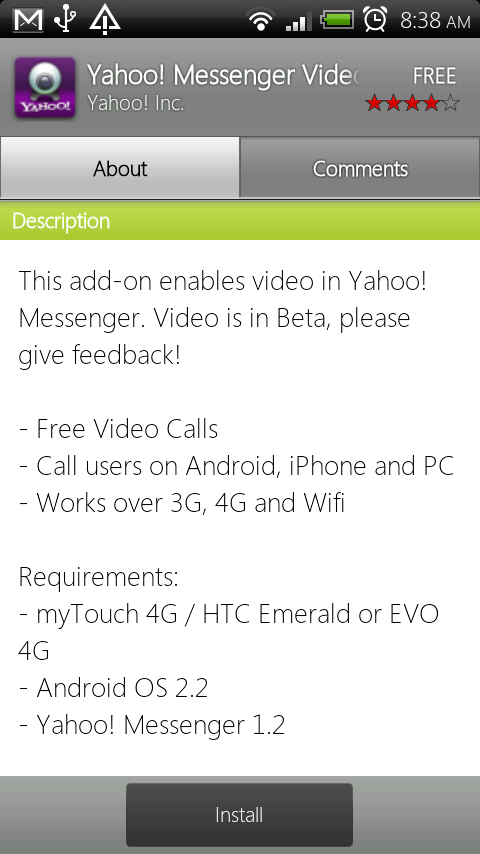
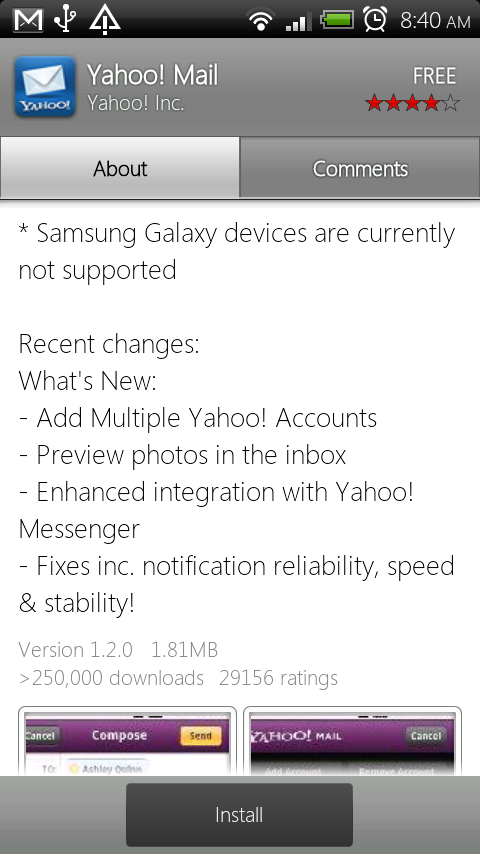
Yahoo updated a couple of its more popular apps, Messenger and Mail, to include some much needed new features.  Messenger now has official support for video chatting on the MyTouch 4G plus “experimental support” on the EVO and zero support for the Galaxy Tab.  Actually, Yahoo apps in general appear not to support ANY Galaxy S devices which is a little odd.  There are only 3 million+ in existence around the world.  The mail app now allows for multiple accounts, lets you preview photos and has a more polished notification system.  Like I said, all “much need” stuff.
*For video chatting to work, you will need both the Yahoo Messenger app and the video add-0n.

2010-11-02

Twitter For BlackBerry
With all the Twitter clients out there these days we cannot forget Twitter for BlackBerry. Those of you out there who make it your preferred Twitter client will want to hit up BlackBerry App World right now. The latest update has been released and while it's not a massive bump when speaking or version numbers it's a bump nonetheless. Version 1.0.1.7 is what we've all been treated too. If you're not currently seeing it in BlackBerry App World try refreshing using the ALT RSTR method. No change log at this time so be sure to share any findings.

2010-10-29

0 Swype Beta update coming soon , get ready for the improved and accurate version

For those of you in the exclusive Swype Beta program, get ready for an update!  A source at Swype Inc who has asked to remain anonymous just told Droid Life that a new version of the Swype Beta for Android is going through the last stages of internal QA testing now. If you have an account that’s been accepted to the beta, expect an update to hit your email inbox sometime during the first week of November.  The update should resolve the vast majority of – if not all of – the problems with installation, and fix some accuracy issues introduced in the last update. Supposedly there’s more stuff than that in the update, but yet to be confirmed .

0 Android app search using web browser and Google mobile

 
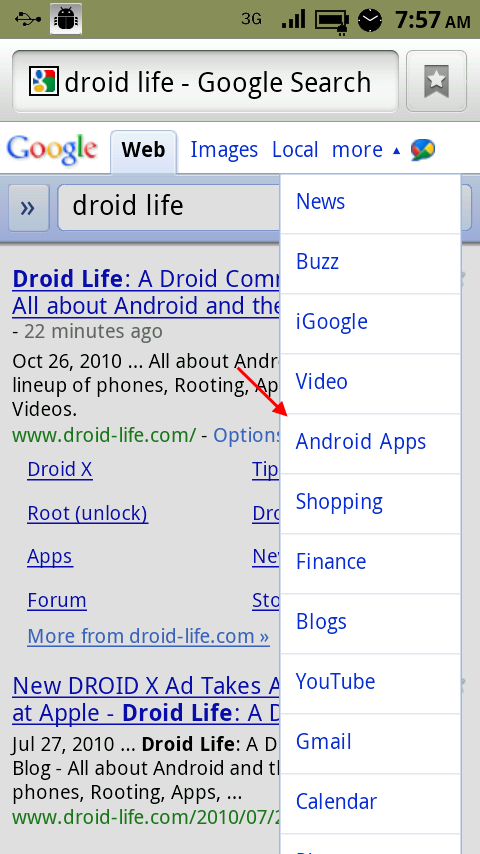
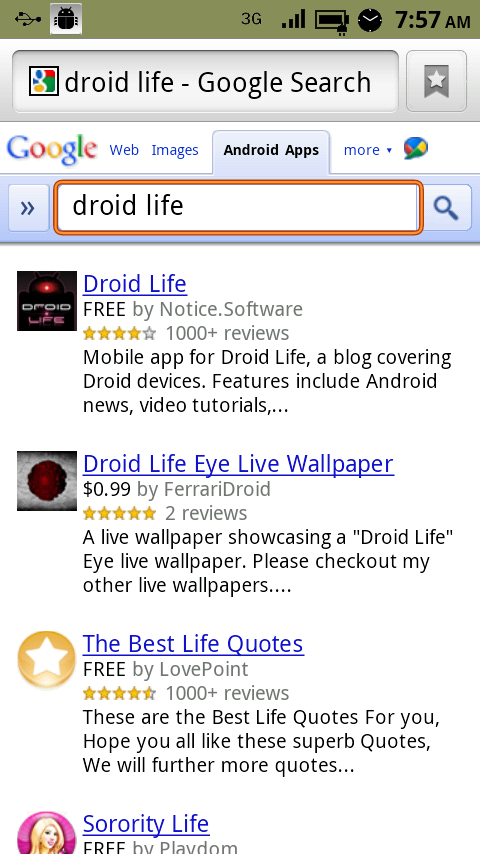
Along with iPhone app search on mobile Android comes up too . Not a big fan of the way the Android Market searches for apps?  Then feel free to use regular old Google Search for the task.  If you open up google.com from your mobile browser and hit the “more” pull down menu, you will see the option to search for “Android Apps.”  Once you find the app you have always dreamed of, like ours, tap on it and you will be redirected straight into the market for installation. Pretty nice , and you what happens when u hit the app , it launches Android market page of that app where you can buy /download the app . Hope we will soon see download and install in the web browser directly .

0 You would love browsing on the Dolphin HD v4.0 browser - Released on Android market

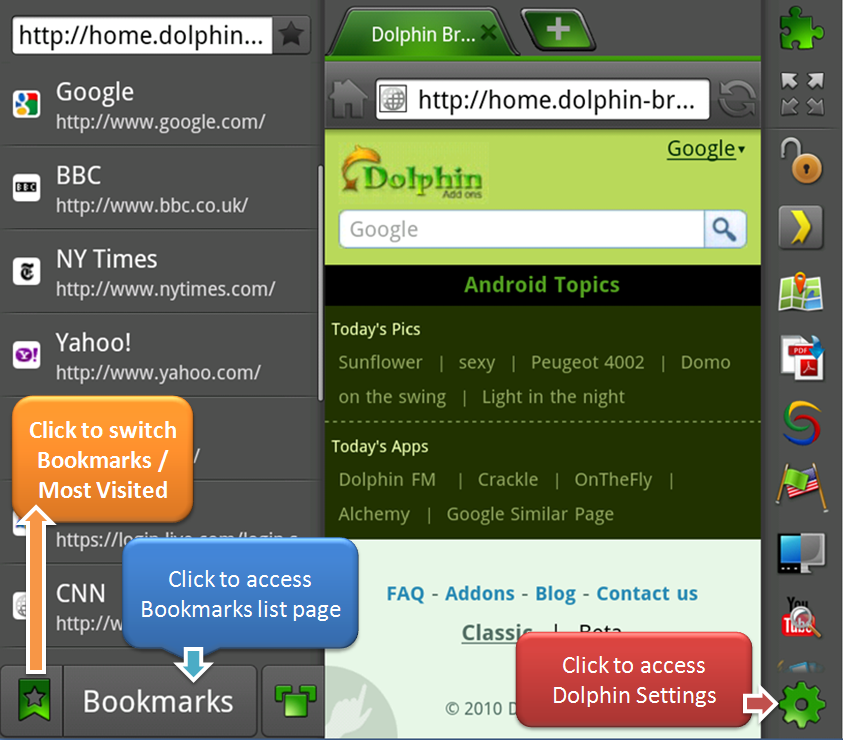
The Dolphin Browser HD hopped up to version 4.0 and is available in the market for free.  The screenshot above details some of the changes that were made to improve the overall experience in this top notch browser.  You will find new settings and bookmarks shortcuts if  you swipe from the left or right.  Nice additions, indeed.  
They also tweaked some things in order to fix a few minor bugs:

  • Fix swipe action issue – side bar is too easy to slide out. 
  • Fix drag down window issue – cannot click the links on the top of the page. 
  • Bookmarks Folder Support 
  • Multi-language Support ( 12 languages) & UI upgrade 
  • Add Page Management feature to address bar. 
  • Fix some tiny bugs which are supported by you.

0 Apple plans 'secret summit' with select iPhone developers ... Now what does secret mean ?

apple to hold secret ios summit rumor 
Business Insider is reporting that Apple is set to hold a secret iOS developer summit next week. The event apparently begins next Tuesday and will run for three days. While Business Insider doesn't have any firm details yet, they speculate that the purpose of the summit is to improve the quality of apps on iOS devices in order to stave off competition from Google's Android App Store.

The event coincides with the stated sometime-in-November release date of iOS 4.2, which will be available for the iPhone, iPod touch, and iPad. iOS 4.2 will be the first major update to the iPad since its launch in March. It's unknown what developers will be in attendance, but Business Insider speculates that whatever app developers are in attendance, they'll likely get "some extra face time with Apple engineers" and some hands on dev help.

This story is just breaking and we'll get you all the details as they leak out.

0 iPhone app search now on Google mobile


Google has added iPhone app search to their mobile interface. Just tap “more” and the drop down menu now includes “iPhone apps”. A search will display apps with their icons, price, star rating, and part of a review. Tapping on one brings you to that app in the App Store. Basically, Google has provided an alternate way to search for iPhone apps – and it’s good.
Anyone planning to search for iPhone apps with Google instead of the App Store itself?

2010-10-27

0 VLC for iPhone now available on App Store

VLC for iPhone
VLC has been updated as a universal app that now supports iPhone as well as iPad. The update is now available in the iTunes App Store and allows you to:
  • Watch natively unsupported videos on your iPhone or iPad (WMV, AVI etc)
  • Open natively unsupported video attachments from emails/internet
  • Open natively unsupported videos from other apps, like Dropbox
VLC also allows you to sync your favourite videos to your iPhone, iPod Touch or iPad without having the need to convert them.
Free - iTunes link, thanks to everyone who sent this in!

0 Voice search on Android : Now available in Russian , Polish , Czech and Turkish

Google has launched Voice Search in four new languages over the past few weeks which include : Russian, Polish, Czech and Turkish. Now speak queries like “концерты Юлии Савичевой” (tour dates for Yulia Savicheva), “przepis na pierogi” (recipes for pierogi), “obrázky Hradčan” (pictures of the Prague castle), or “istanbul hava durumu” (weather in Istanbul). You will need to predefine the language you in use before you start using the app .
Android devices come preloaded with Voice search ,to make a  Voice Search just hold the search button on your device and speak your query.But if you have an Android (2.0 or higher) phone and don’t have Voice Search installed, download the “Voice Search” app from Android Market for free. If you own an iPhone or other smartphone, you can download Google Mobile App with Voice Search from m.google.com .

2010-10-22

0 Sending SMS / texts from Computer using Android phone over USB / WiFi

 Being a Nokia user i have been in touch with 'Communication centre' which can be used to access your phone's text messages over the computer and can also be used to send messages from the same interface over USB or Bluetooth in case your phone is away from you . But after buying an Android i seriously missed this feature of my Nokia phone , i made a good research and came across few good apps which allow users to send sms / texts from their desktop via an Android phone and dont require internet connectivity because they are sent over the wireless network your smartphone uses ,though not as appealing as the Nokia communication center but they do their job fine .

  1. DesktopSMS    //download//
  2. EasySMS         //download//
  3. RemoteSMS    
  4. Droid Messenger  
I have tried these all and out of these i found DesktopSMS to be working fine while EasySMS doesnt work on Windows7 the version i use and i really dont have plans to downgrade to just use a SMS app .
Remote SMS is also good but i faced some issues which were eventually resolved , Droid Messenger is good but its all over the air , so you just dont have the records of your sent items on your phone and also makes it against one's privacy (if there's any ) .

 Am covering DesktopSMS app's installation and setup , if you wish to install others i have listed the links above .
Download the phone version (.apk) and desktop ( linux , mac , windows) version . 
Connect your phone in HTC sync mode and install the "desktopSMSserver.apk" by selecting it  You can also download the phone app from Android market , just search for it or check the bar code on download page , now open the MainGUI.jar file ( you dont need to install it , just open it ) .

To use sms application from desktop you will need few drivers for phone which are in the SDK , you can download them from here http://developer.android.com/sdk/index.html 

USB Connectivity method :
Copy the folder to a safe location , which is not temporary and will not be altered on reboot .
Open the mainGUI.jar file ( the PC version ) .
Go to >> Preferences >>  Adb path >> Select adb.exe from  SDKs/android/tools/adb.exe    in the folder you just downloaded from developer.android.com/sdk/index.html   , click OK .
Then Click 'Connect '  ( Reboot your phone if it doesnt work )
You will see a Green connectivity icon at bottom left of the desktop app .
You can also visit official page if you face any problems here .
 .


In Wifi mode.

The application can be launched both in Wifi and USB.

You have to be connected to the same Wifi network that the computer which executes DesktopSMS.

A link is needed between both parts of DesktopSMS. This link is done via the WiFi and doesn't imply the use of a third application as for launching in USB.
However, you must manually launch the DesktopSMS application on the phone. Do it.

The application might launches out and closes again at once, it is a normal behavior. Start again.

On the phone, the application gives you an IP address like 192.168.1.24
Note this address and clic on the Home button of your device.

Now, you have to launch the desktop application previously downloaded and installed. Do it.

Click on "Preferences" and select Wifi. Type the IP address previously given by the phone application, like this :
Then, click "OK" to finish the configuration.
 

Using DesktopSMS 

Now the application is configured in Wifi mode or in USB mode, you can etablish the link.

Click on "Connect."

The connexion might be finished suddenly. In order to check this, you just have to see the small catch in bottom on the left of the application. If it's red and disconnected, the link is not established. Click again on "Connect". Retry until having a permanent connection.

Don't forget to launch the application on your phone if you're in Wifi mode. If you're in USB, the application is launched automatically, check it.

Once the link established, the synchronization of the contacts and the SMS is done. The list appears.

Then, double click on a contact to see the discussion between you.
The discussion is the same on the phone and on the computer.

In order to write a SMS, write in the box below the discussion and clic "Send" or hit the enter key of your keyboard.
The SMS appears in the discussion and you can see on your device screen, the following bubbles : "sent" and "delivered."

2010-09-22

0 Gmail App Updated for Android : Now with Priority Inbox

Recently Gmail released their updated version of Android app in the Market with improved support for accessing messages.
Now you can view previous message content more easily, just like in the desktop version of Gmail. Tap “Show quoted text” to reveal the previous message.
Now your most important message actions will now stick to the top of the screen and can be accessed via one click .
The new version also supports Priority Inbox , if you have enabled Priority feature through your desktop version you will be able to see 'Important' label which will show all you all messaged flagged as important.
The new updated version requires Android 2.2 , so just check if you have updated to Froyo before you grab this new Gmail app .
Get the App directly via this link on phone or the QR code below